How to lock a Chrome profile
Short answer: Chrome profiles don’t have passwords, but you can add one by installing Lock My Profile inside the profile you want to protect and turning on locking when Chrome starts.
What a Chrome profile is (and why it has no password)
A profile is a separate set of bookmarks, history, passwords, open tabs and extensions. Anyone using the computer can switch to any profile from the profile icon, because Chrome treats them as a convenience, not as security.
How to lock one profile
Extensions are installed per profile. That makes it easy to lock just the profile you care about:
- Open Chrome in the profile you want to protect.
- Install Lock My Profile in that profile and create your password.
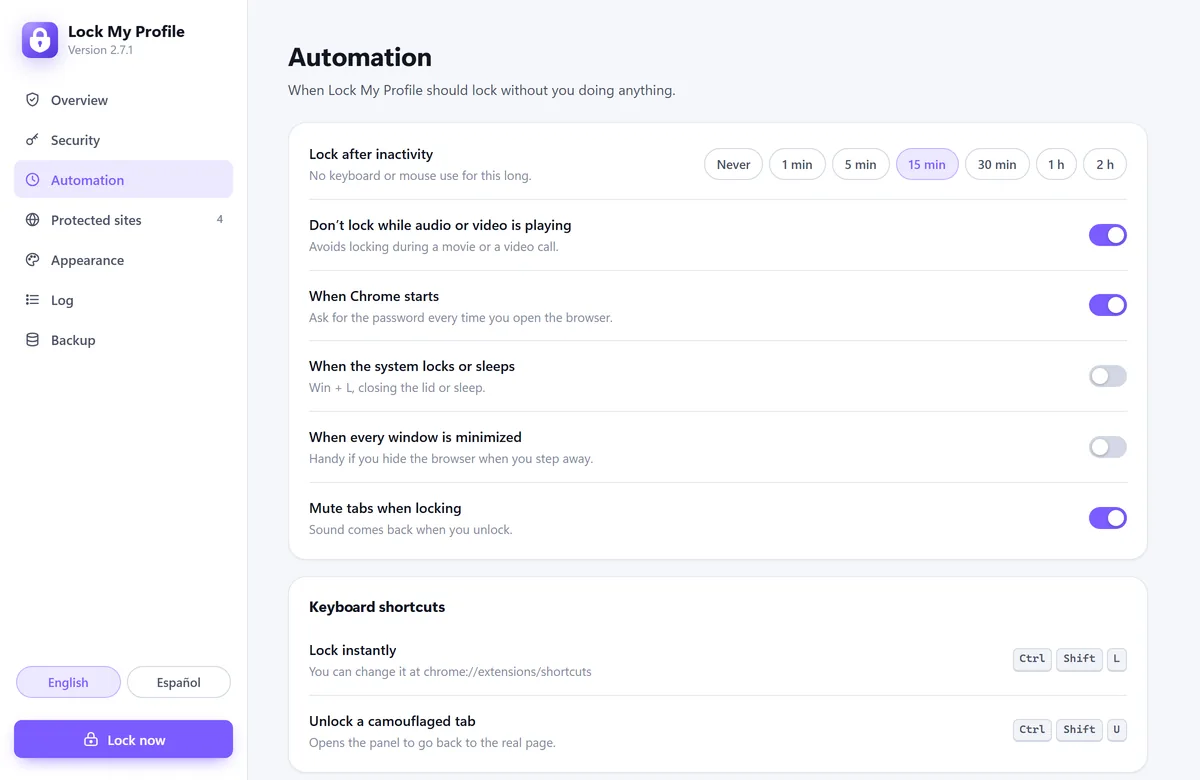
- In Automation, turn on When Chrome starts and choose a time for Lock after inactivity.
- In Security, keep Block internal pages on, so the extension can’t be turned off from the extensions page while the profile is locked.
- To lock other profiles too, repeat the steps in each one. Each profile can have its own password.
What it protects, and its limits
When the profile is locked, its tabs, history, saved sessions and the sites where you’re logged in are hidden behind the lock screen. Keep in mind:
- Someone could still open a Guest window or create a new profile. They won’t see any of your data there, but they can browse.
- If you need to stop that too, give each person their own account on the computer, or, on computers managed by a company or school, an administrator can turn off Guest mode and adding profiles with Chrome policies.
- A lock extension protects against people who use your computer. It doesn’t replace your computer’s account password or disk encryption.
Lock only some sites instead
If you don’t want to lock the whole profile, protect just a few sites, like your email or WhatsApp Web. They’ll ask for the password while the rest of the profile works normally.